 Ankit Gandhi
Agentic AI for the Era of XR
How should an AI agent look and behave in XR? Research with 11 users and 14 AI systems led to two embodied companions for Samsung’s glasses: RunMate and Taskling.
Overview
Samsung asked me to explore how AI agents can come to life in XR and how they can support people in real-world situations. I worked on this with the XR and Visual Experiences team at Samsung R&D Institute India, Bangalore, from January to July 2025, as my graduation project for the M.Des in Immersive Media Design at MIT Institute of Design.
The challenge was not to imagine a futuristic assistant. It was to ground the agent in real needs: tasks people already do, what form the agent should take, and how it earns trust through behaviour and presence.
The result is two concepts: RunMate, a running companion for Samsung’s AR glasses and Samsung Health, and Taskling, an emotionally aware companion for XR workspaces. I ran the research, defined the problem and designed both concepts.
The brief
The initial brief asked for intelligent experiences in XR: define how people interact with AI agents so that tasks get done efficiently and the user builds a meaningful connection with the agent through its visual form and behaviour. It covered both practical and emotional sides of the interaction, with a strong focus on exploring visual form to shape trust and clarity.
Deliverables ran from foundational research to concept design: a research document on the AI landscape in XR, a user study, use-case scenarios and concept designs for AI embodiments, including visual style, interaction principles and behavioural cues.
Process
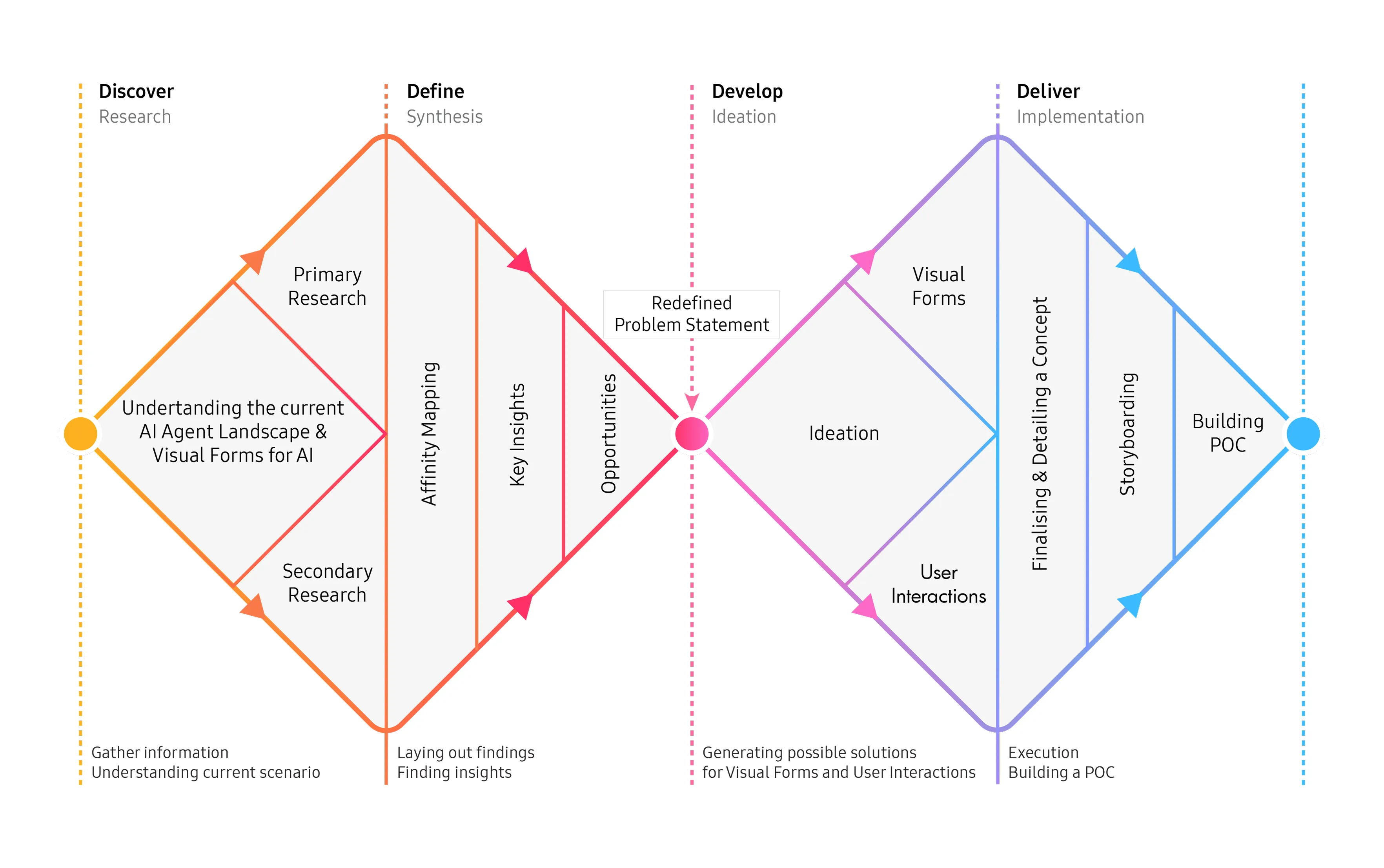
I followed the Double Diamond: two phases to understand the problem, two to build the solution. The work moved through eight stages.
- Onboarding and briefing
- Secondary research
- Secondary research synthesis
- Primary research
- Insights and design direction
- Redefined brief
- Ideation and concept generation
- Execution and final design
Understanding agentic AI
I started by defining what makes an agent different from other AI. An AI agent works toward a goal on its own, can plan, remember and adapt and acts without constant prompting. An assistant needs the user’s direction. A bot follows pre-programmed rules. Agentic AI sits between today’s task-specific AI and the human-level AI that does not exist yet: autonomous, but within a domain.
For design, this shifts the questions. Users need to understand and trust an agent’s decisions, which calls for transparency. They need to set goals, watch progress and step in when needed, which calls for a balance between autonomy and control. Ethics, privacy and system integration become part of the interface problem.
I also looked at why XR needs agents. In XR people move, speak, gesture and express themselves, and agents can respond to all of that. The biggest shift is embodiment: instead of a disembodied voice or a static chatbot, an agent can take a form that makes it feel present.
What 14 AI systems taught me about form
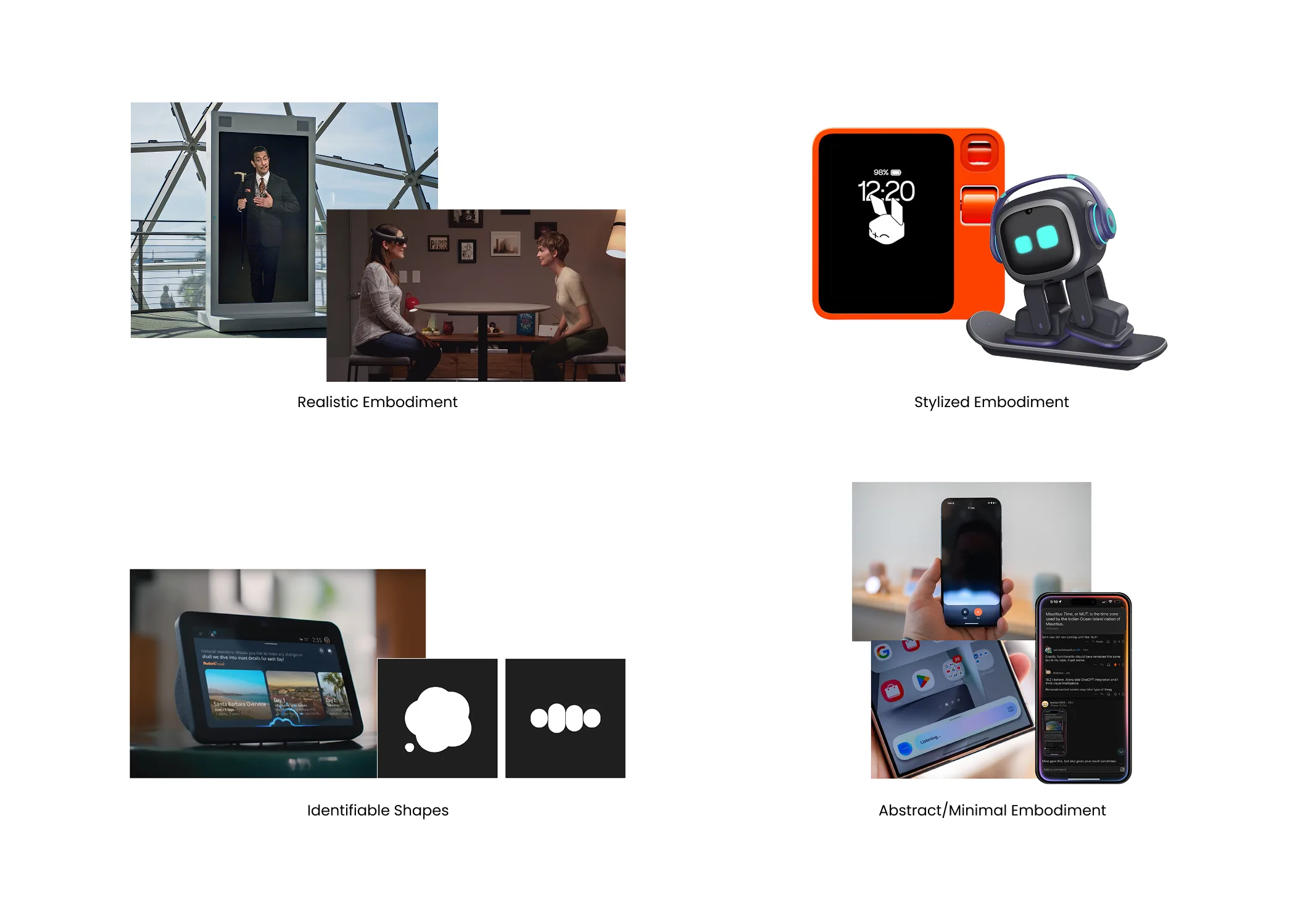
I analysed 14 current AI systems, comparing their purpose, visual form, interaction behaviour and the use cases they suit: Gemini, Siri, Copilot, Meta AI, ChatGPT, Perplexity, Bixby, Alexa+, Dalí Lives, Magic Leap’s MICA, NVIDIA’s Project Tokkio, Rabbit R1, EMO and AIBI. The lessons that mattered most:
- State without stealing focus. Gemini’s gradient animations and Siri’s edge-of-screen glow show what the AI is doing while keeping the task area clear.
- Trust is not always about looks. In Copilot, trust comes from clarity, citation and control, not from visual form.
- Realism pays off only when emotion is the goal. Dalí Lives and MICA create presence through eye contact, gesture and spatial awareness, but they are expensive to build and risk the uncanny valley.
- Playful and simple beats realistic for quick glances. Rabbit R1’s low-fidelity expressions show status instantly and add delight.
- Behaviour builds connection more than appearance. EMO’s personality over time matters more than how it looks.
Five ways an agent can show up
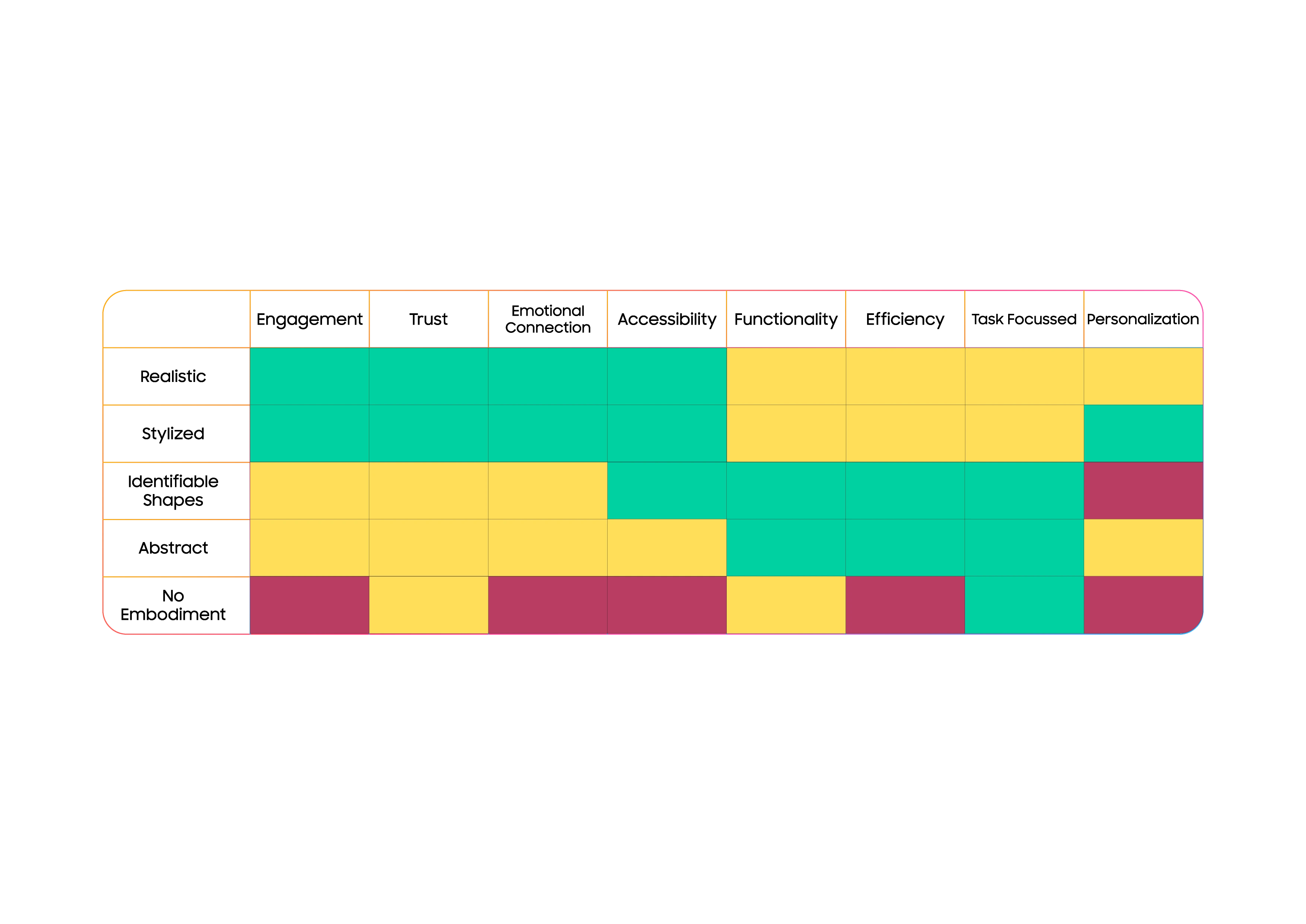
From the comparison I grouped agents into five embodiment types and mapped what each one does best:
- Realistic (human-like). High trust and emotional connection when movement feels natural. Risk of the uncanny valley, and heavy on performance. Best for tutors, wellness and museum-style storytelling.
- Stylized (cartoon, exaggerated). Approachable and emotionally safe, with strong engagement in casual settings. Best for learning tools, daily wellbeing check-ins and habit trackers.
- Identifiable shapes (icons, simple faces). Clear and low-distraction, with some emotion. Best for quick commands and small or wearable screens.
- Abstract or minimal (shapes, particles, gradients). Very efficient and unobtrusive, but weak on emotional connection. Best for ambient help in smart glasses and AR overlays.
- No embodiment (voice only). Works for focused or safety-sensitive tasks, with almost no attachment. Feedback must be designed carefully.
The heatmap showed a clear trade-off: realistic and stylized agents raise trust and empathy, while abstract and non-embodied ones win on efficiency and staying out of the way.
I also synthesised academic research into four findings: embodiment improves trust and social presence; human-like features raise engagement but can create false expectations; agents should adapt their presence to context because constant visibility overwhelms people; and good agents combine speech, gesture, gaze and spatial position.
Talking to people
11 interviews. I interviewed 11 people aged 20 to 35: designers, developers and students, with varying familiarity with XR and AI agents. The goals were to find gaps and pain points in today’s human-AI communication, understand what people expect from AI behaviour, and learn how they imagine its visual form.
Designing the interview. Most participants had never used XR or an advanced agent, so I started from everyday AI use: a recent time they used an assistant, whether they type or talk, and whether it ever understood their mood. Once they were comfortable, I moved to imagination. I described an assistant, in the spirit of JARVIS or Alfred, that appears through XR glasses, sees and hears what they do, and remembers past interactions. Then I asked what they would hand off to it and when it should step in without being asked.
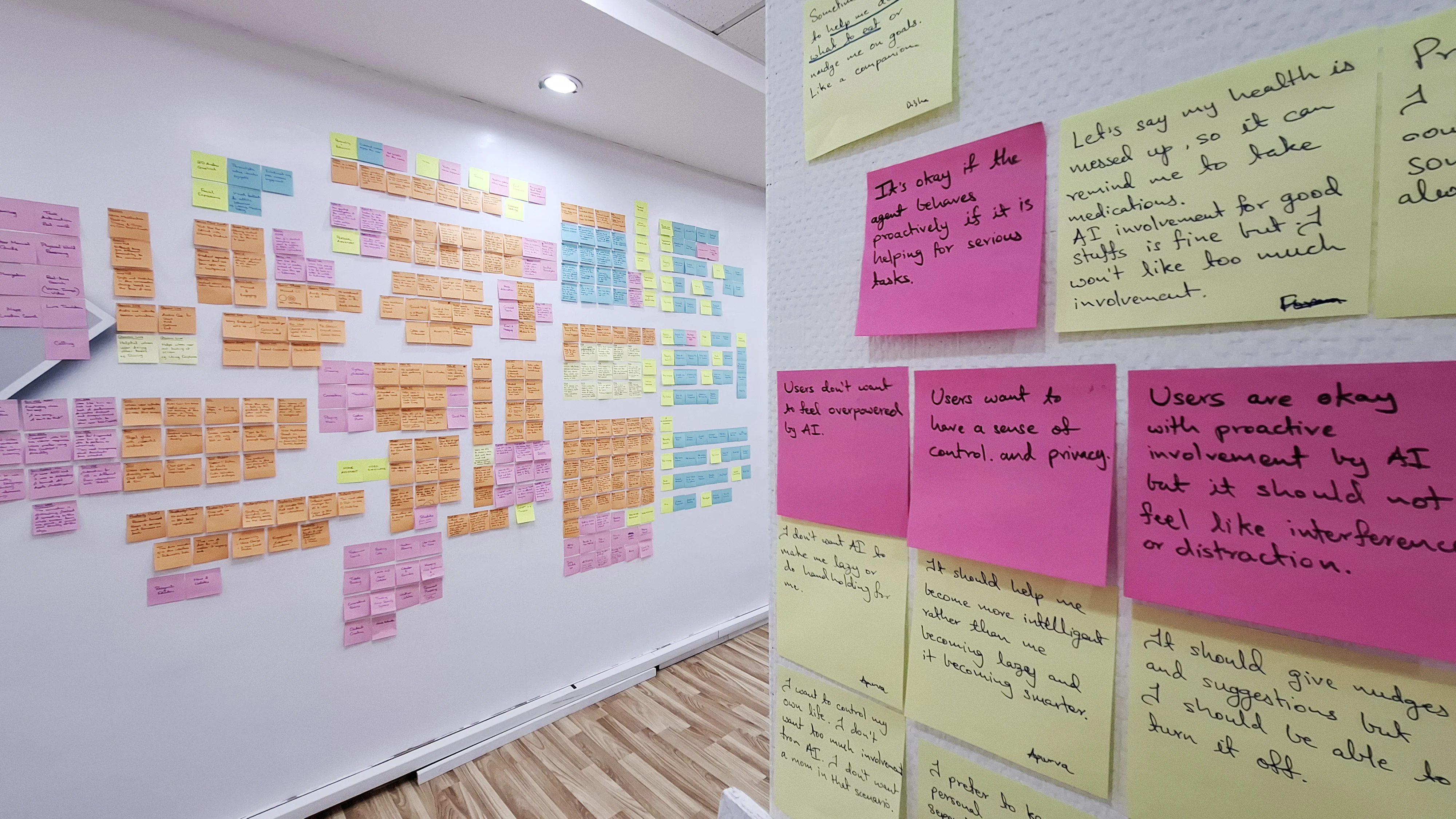
Making sense of it. I wrote the answers onto sticky notes and clustered them on a wall through affinity mapping.
What I found
Five pain points
- Difficulty understanding complex data. “While reading research papers, I would like to visualize the models I am researching on in 3D.”
- Cognitive overload during digital tasks. “AI can be a tutor when I’m coding or trying to learn something, guiding me when I am stuck.”
- Losing focus on multi-step tasks in the real world. “I sometimes forget to add some ingredients while cooking.”
- Falling behind on well-being and productivity goals. “I procrastinate on my health goals. AI can push me when I don’t follow its advice.”
- No fast way to get context-aware information. “It’s difficult to compare multiple products when shopping. AI could compare and present all the information to me.”
Four user needs
- Human-like characteristics, not appearance. “A human form for AI would creep me out.” “I want it to understand me but I don’t want to associate AI with an identity.”
- An AI that empathizes feels reliable. “I chatted with Sesame and actually felt calmer.”
- Proactive when necessary, but not intrusive. “If my health is messed up AI should remind me to take medicines but not be like a mom.”
- Context awareness builds trust. “If I’m in a hurry it should reply quickly. If I’m bored it should have engaging conversations.”
On the affinity wall, two themes kept coming back: people want a sense of control and privacy, and they accept proactive help as long as it does not feel like interference or distraction.
Where the research disagreed
The academic research said embodied agents build trust and social presence, and the heatmap showed realistic agents scoring highest on trust and empathy. My interviewees disagreed about faces: many found a human form uncomfortable.
I resolved this by separating appearance from behaviour. People wanted the qualities of a human collaborator (empathy, awareness of context, sensible timing) without a human appearance. That became a design rule: non-humanlike visuals, human-like behaviour. Both companions follow it.
Defining the problem
Combining both kinds of research, I reframed the brief from “design how the AI agent will communicate with the user in XR using embodiment” into a problem about people:
Users struggle to understand complex information, stay focused and complete tasks smoothly - in real and virtual worlds.
Five design parameters turned that into direction:
- Embodiment as interface. Treat embodiment as a communication medium across visual, spatial and social dimensions.
- Emotional intelligence and empathy. Recognise urgency, stress and context, and respond without overstepping.
- Non-humanlike visuals. Avoid uncanny or overly human avatars. Aim for relatable, expressive forms.
- Proactive yet non-intrusive. Offer support without invading the user’s space or privacy.
- Task-awareness. Help people understand data, follow steps and regain focus.
Ideation
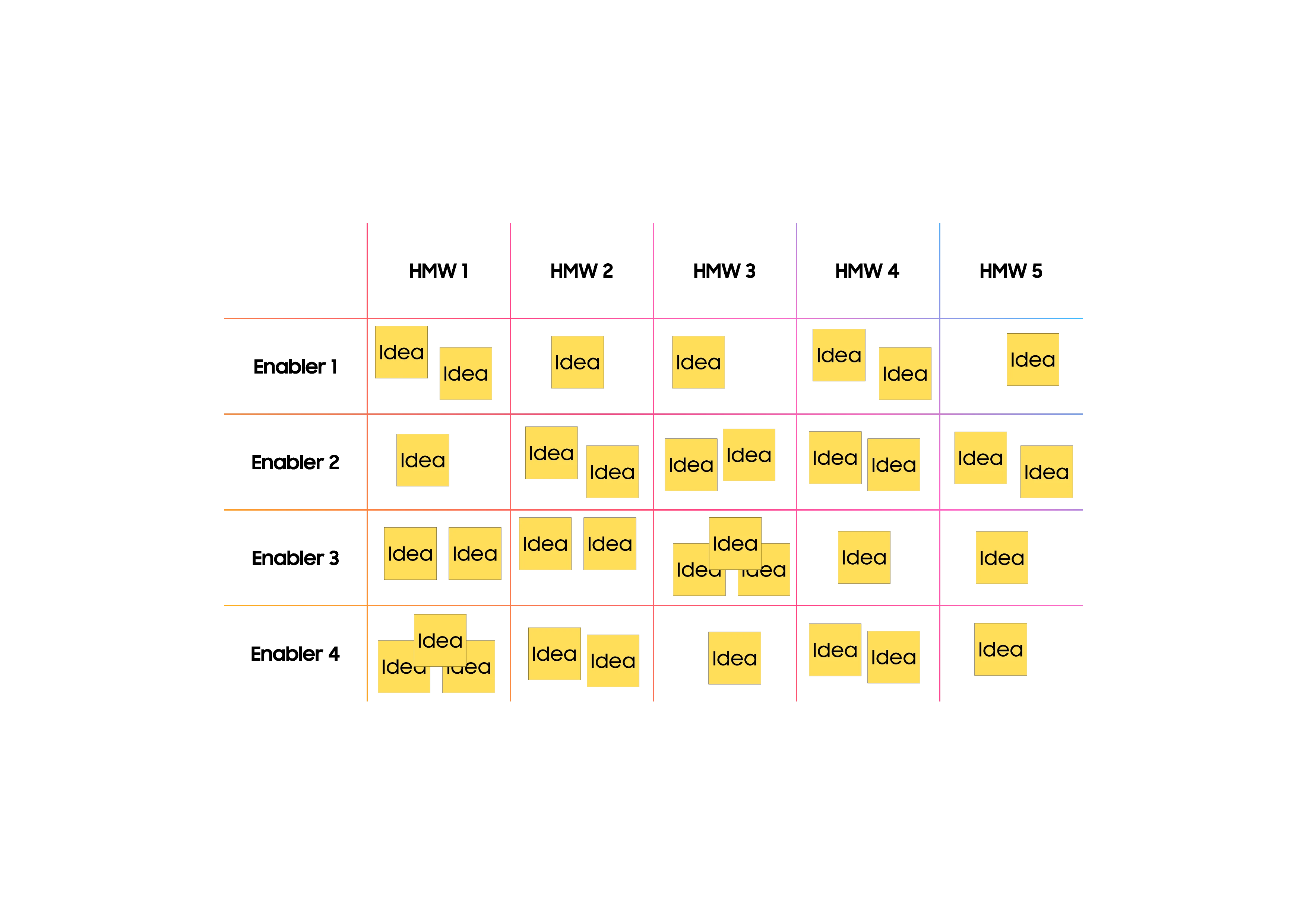
I turned the pain points into five “How might we” questions, each ending “…using an embodied AI agent”: simplify complex data; help people efficiently perform real-world tasks; help people complete complex digital tasks with timely support that reduces cognitive load; help people stay motivated to reach their goals; and give people context-aware information in real or virtual spaces.
I then built an ideation matrix: the “how might we” questions on one axis, and user states (focused, stressed, distracted), contexts and embodiment options on the other, with an idea at each intersection. I ran individual and group sessions, and judged every idea against the five design parameters. The ideas that best matched the research became RunMate and Taskling.
Two companions
The research pointed to the same direction twice. The stylized embodiment type lists daily wellbeing check-ins and habit trackers as its best uses, which matched two of the pain points: falling behind on well-being goals, and losing focus on tasks. I designed one companion for each.
RunMate, a companion for every run
RunMate is an AI running companion conceptualised for Samsung AR glasses and Samsung Health. It uses real-time health and activity data to give personalised motivation, celebrate milestones, encourage fitness goals and make running social through gamification and friendly competition.
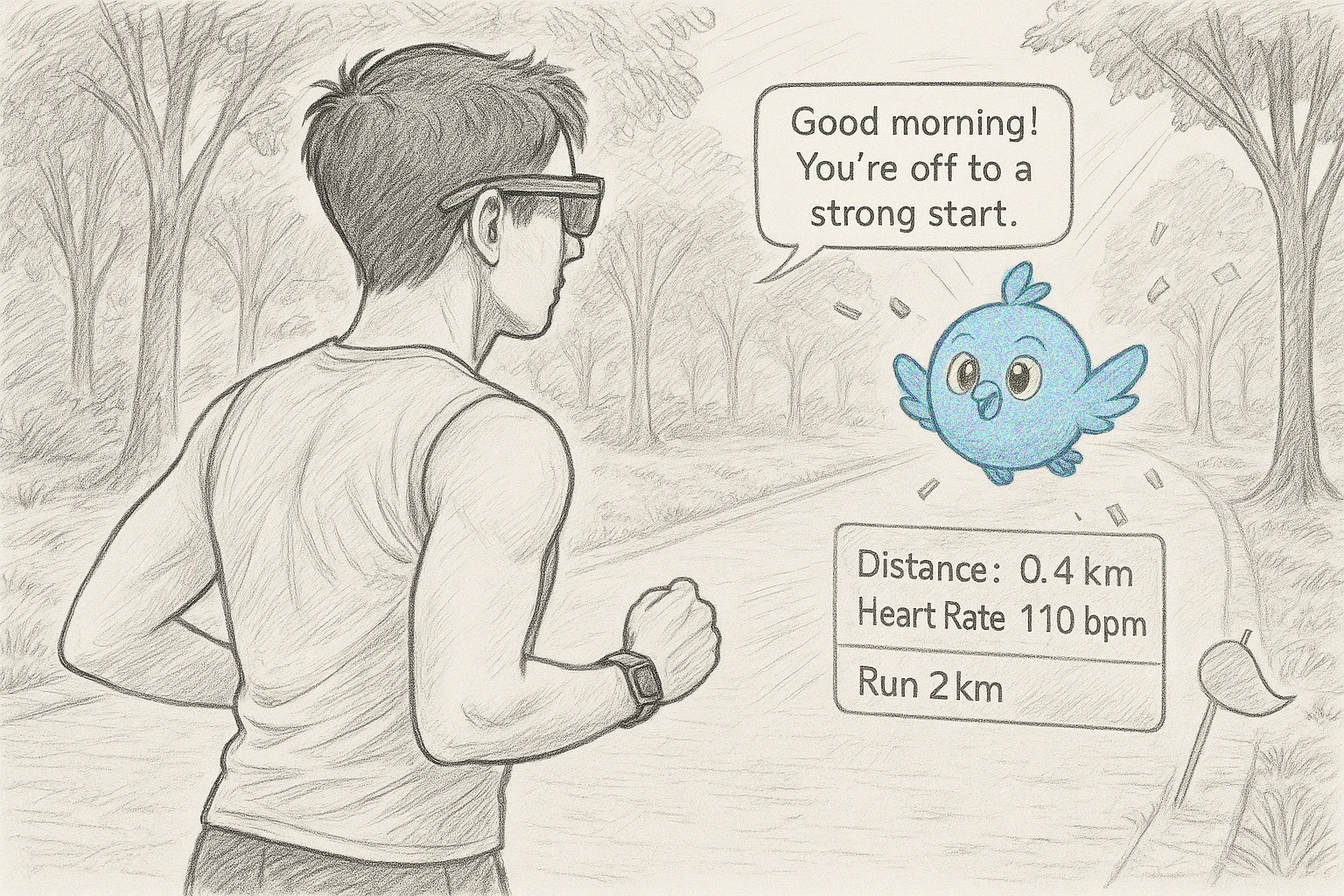
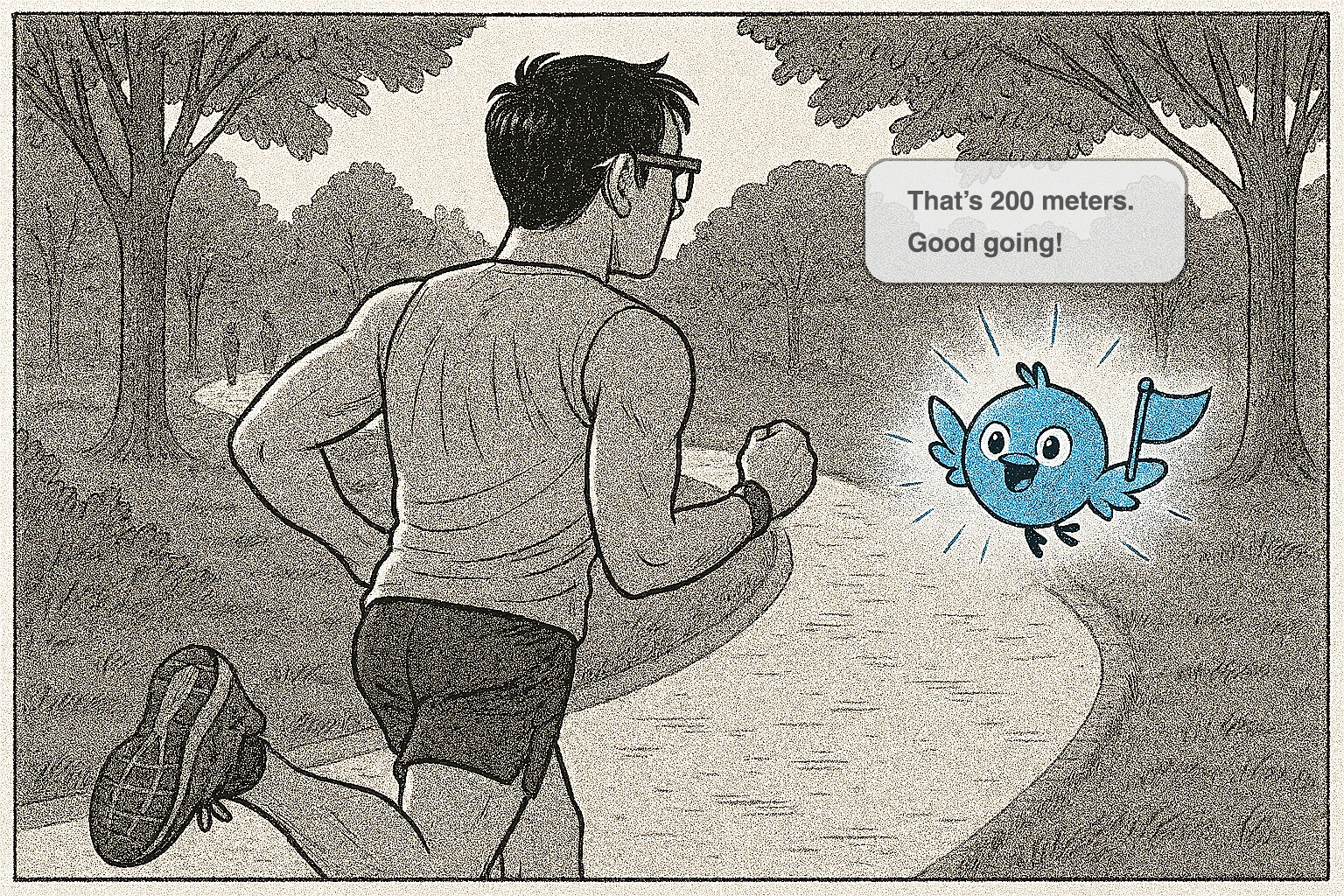
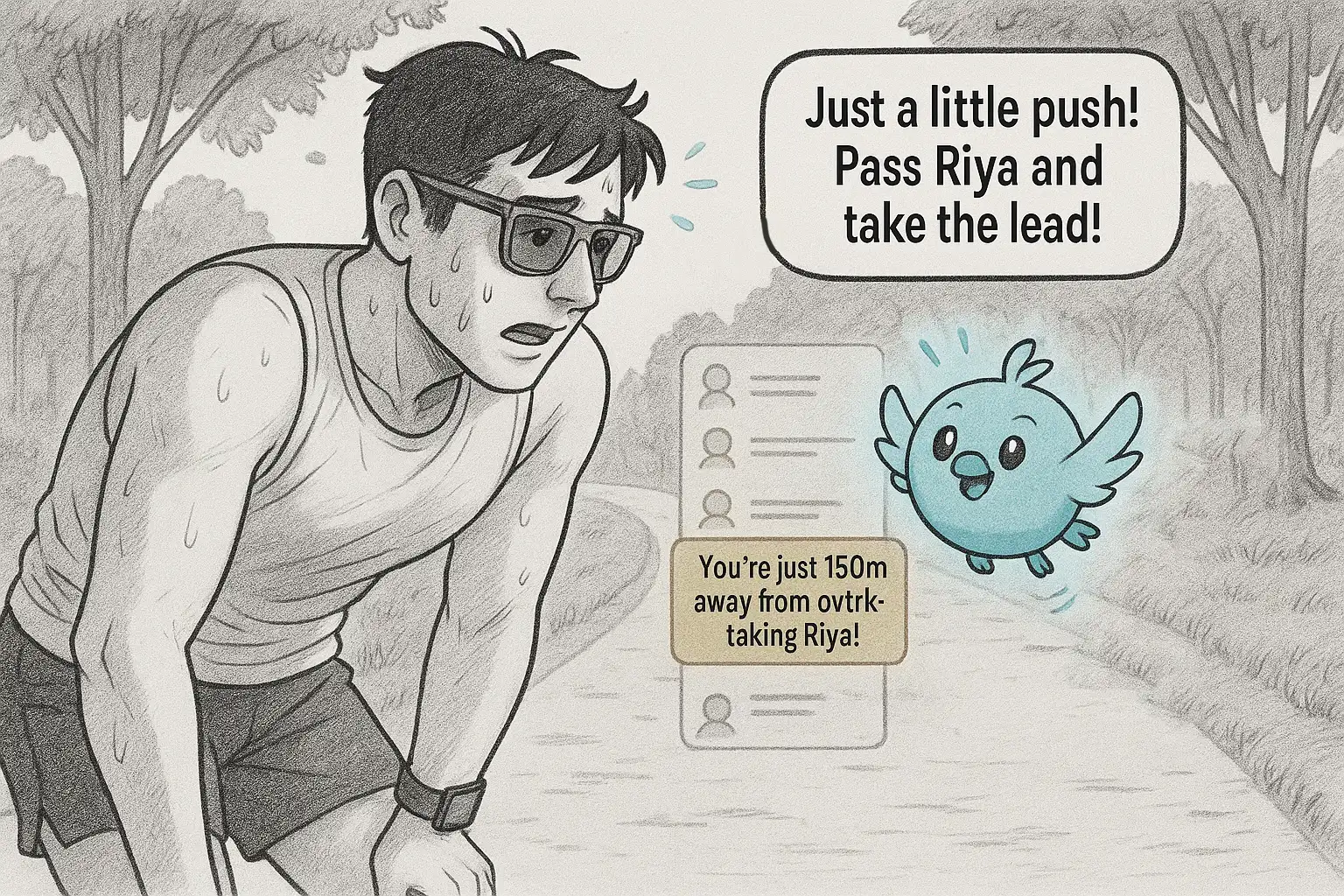
It appears as a small round blue bird that flies beside the runner. A small panel shows the essentials (distance, heart rate and the run goal) and the bird’s speech bubbles stay short, so the runner’s view stays open.
One run, in six moments
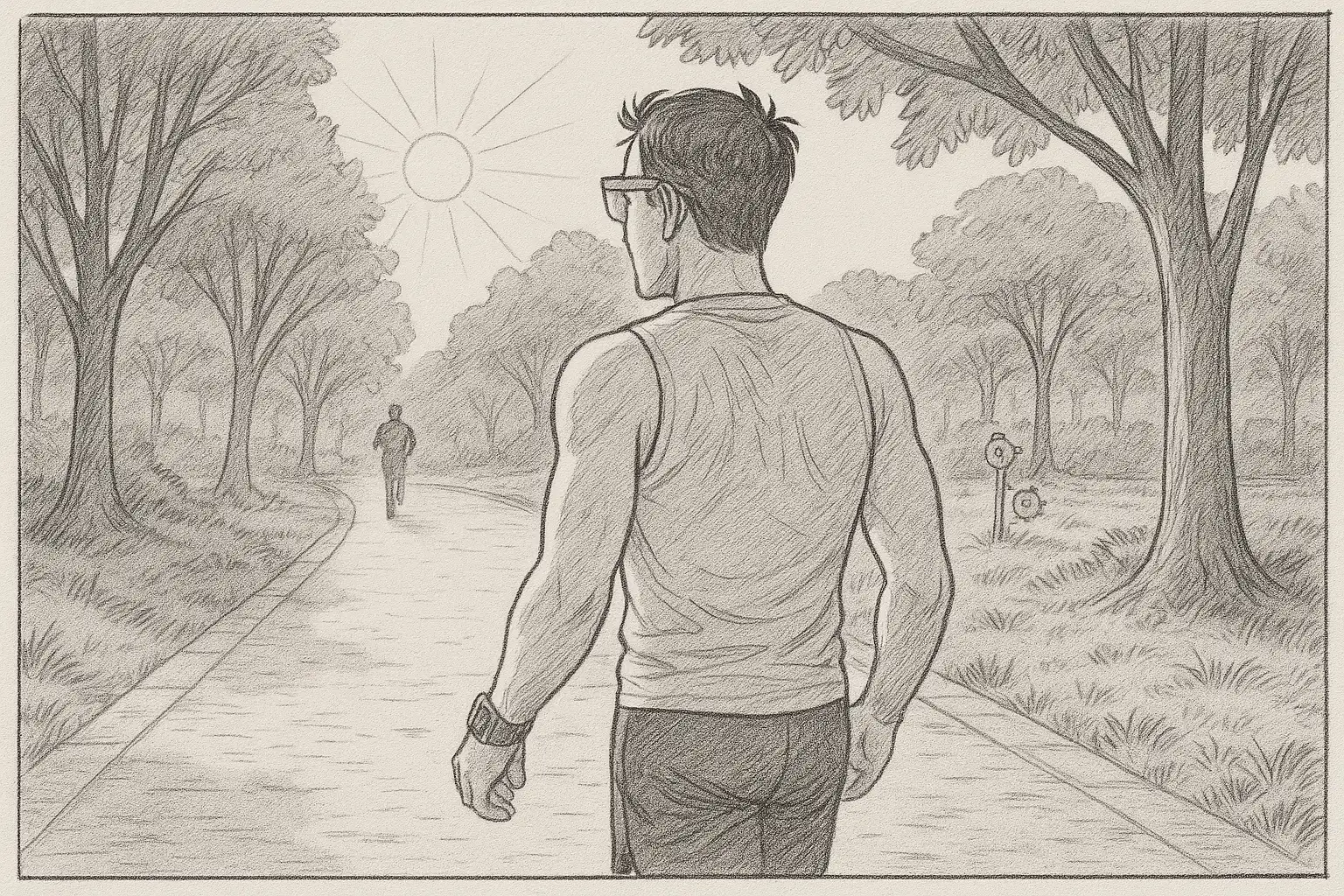
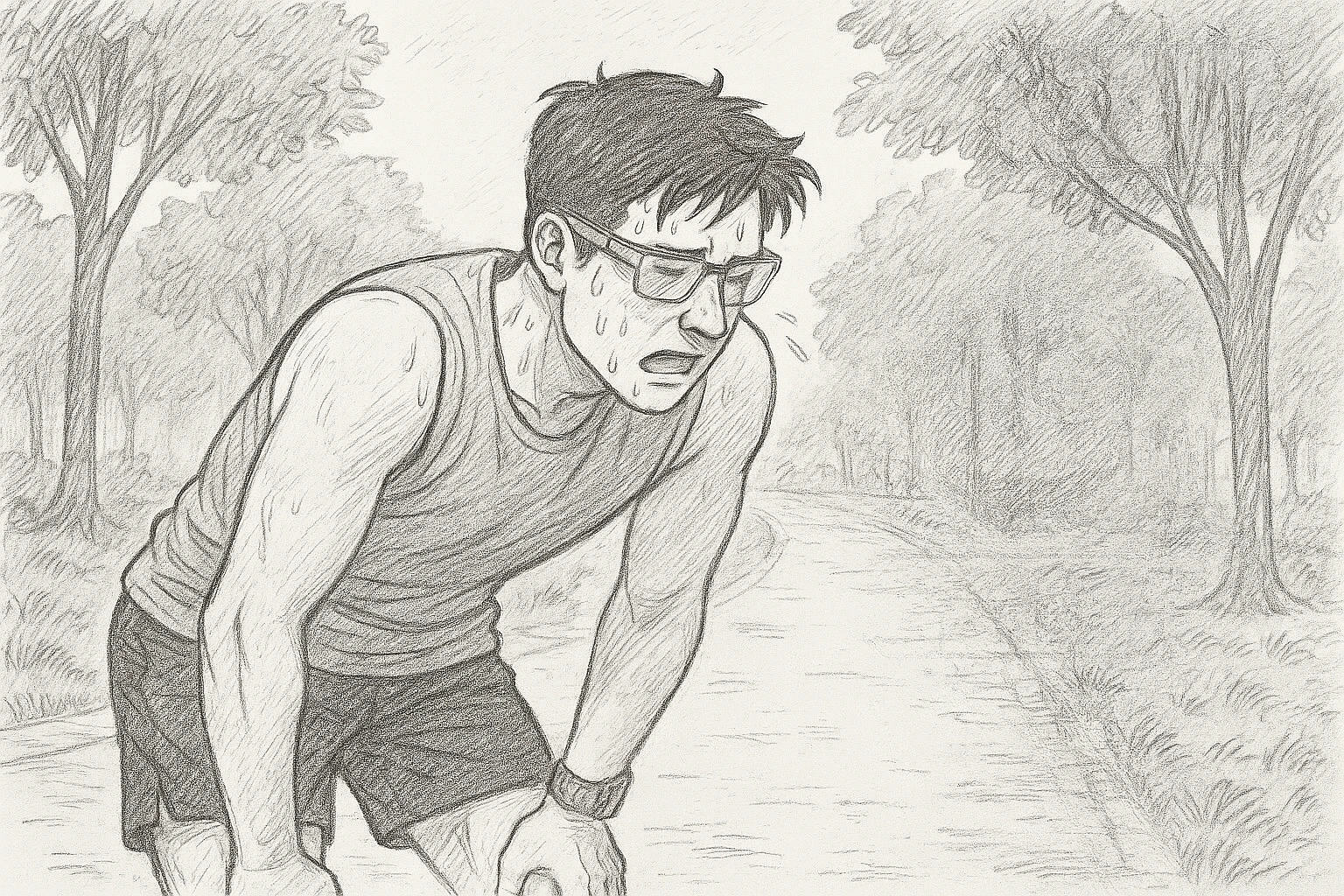
- Setting out. A runner with glasses and a smartwatch heads into a park.
- A warm start. The bird greets the runner: “Good morning! You’re off to a strong start.” The panel shows the distance, the heart rate and the 2 km goal.
- A milestone. The bird cheers with a flag: “That’s 200 meters. Good going!”
- Hitting the wall. The runner slows, tired and out of breath.
- A friendly push. The bird notices and reaches for competition: “Just a little push! Pass Riya and take the lead!” A leaderboard shows the runner is 150 m from overtaking Riya.
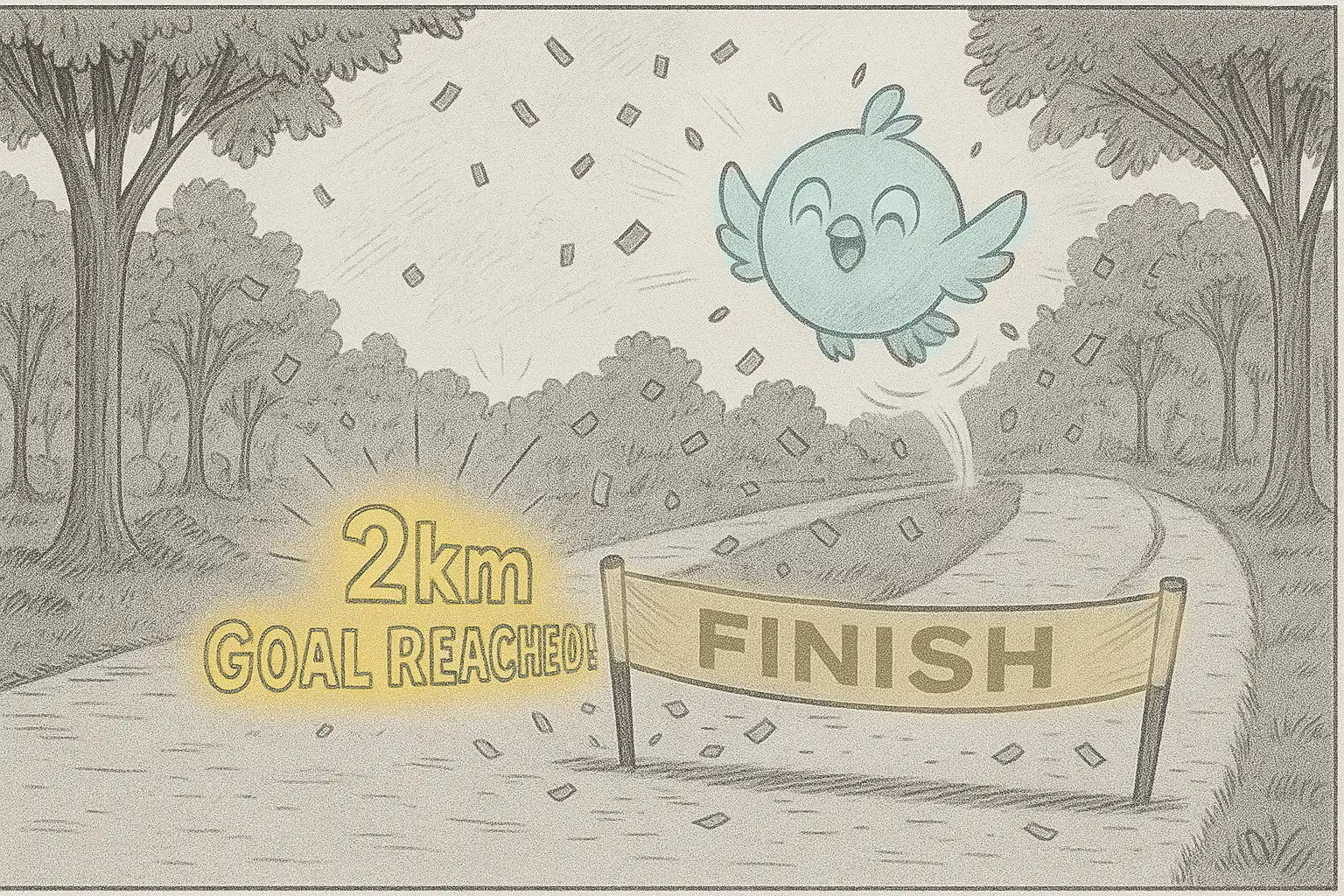
- Goal reached. Confetti, a finish line and the bird celebrating: “2 km goal reached!”
Taskling, an emotionally aware companion for XR workspaces
Taskling is an emotionally aware AI companion designed for XR workspaces. It helps people manage tasks, keep focus and build self-awareness through contextual interactions, mood and posture reflections, meeting preparation and proactive nudges, so that everyday productivity feels more personal and engaging.
Taskling is not one fixed character. Its colour, expression and props change with the mood of the task it is nudging you about, and it speaks in short, gently funny lines instead of lectures.
Four things left undone
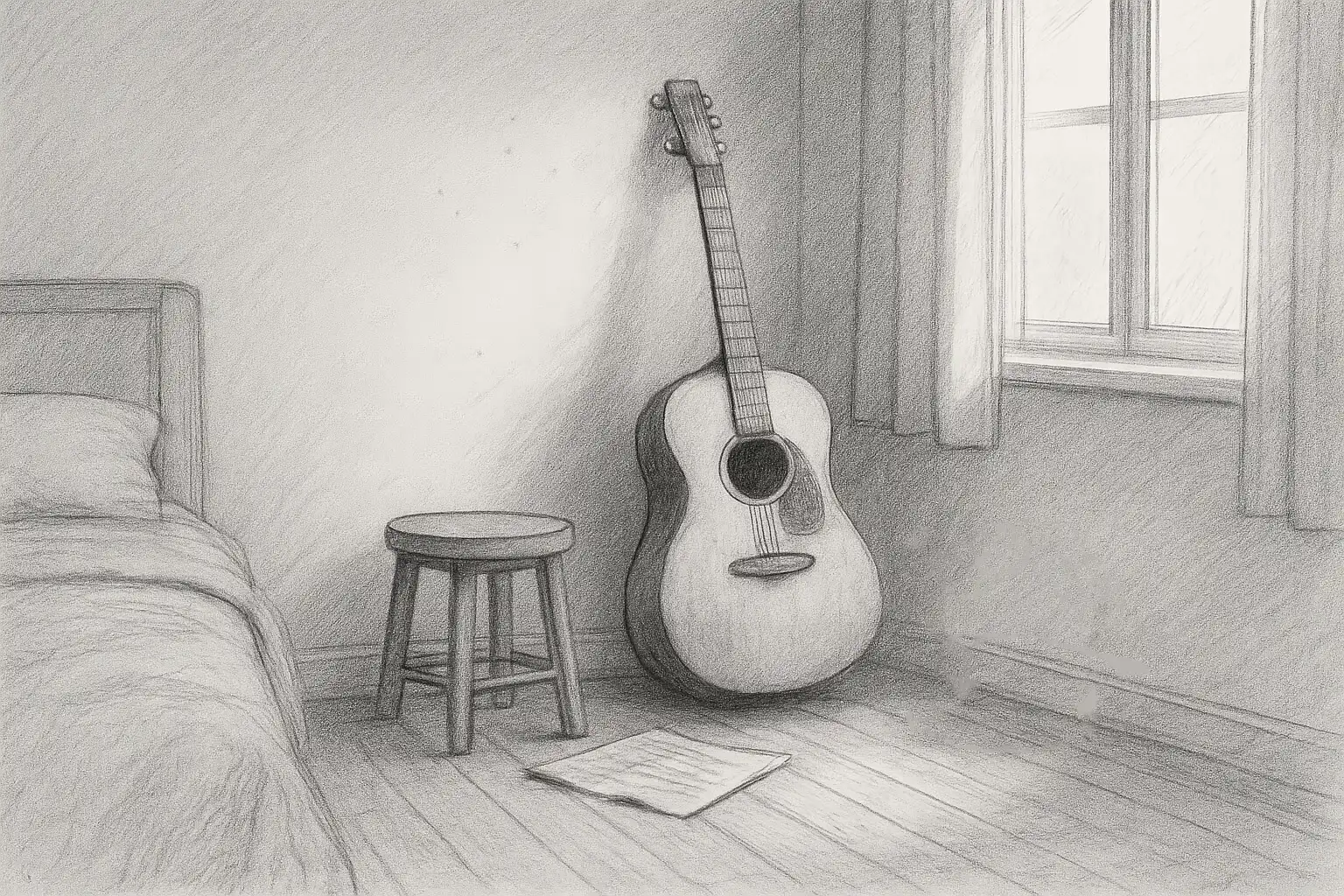
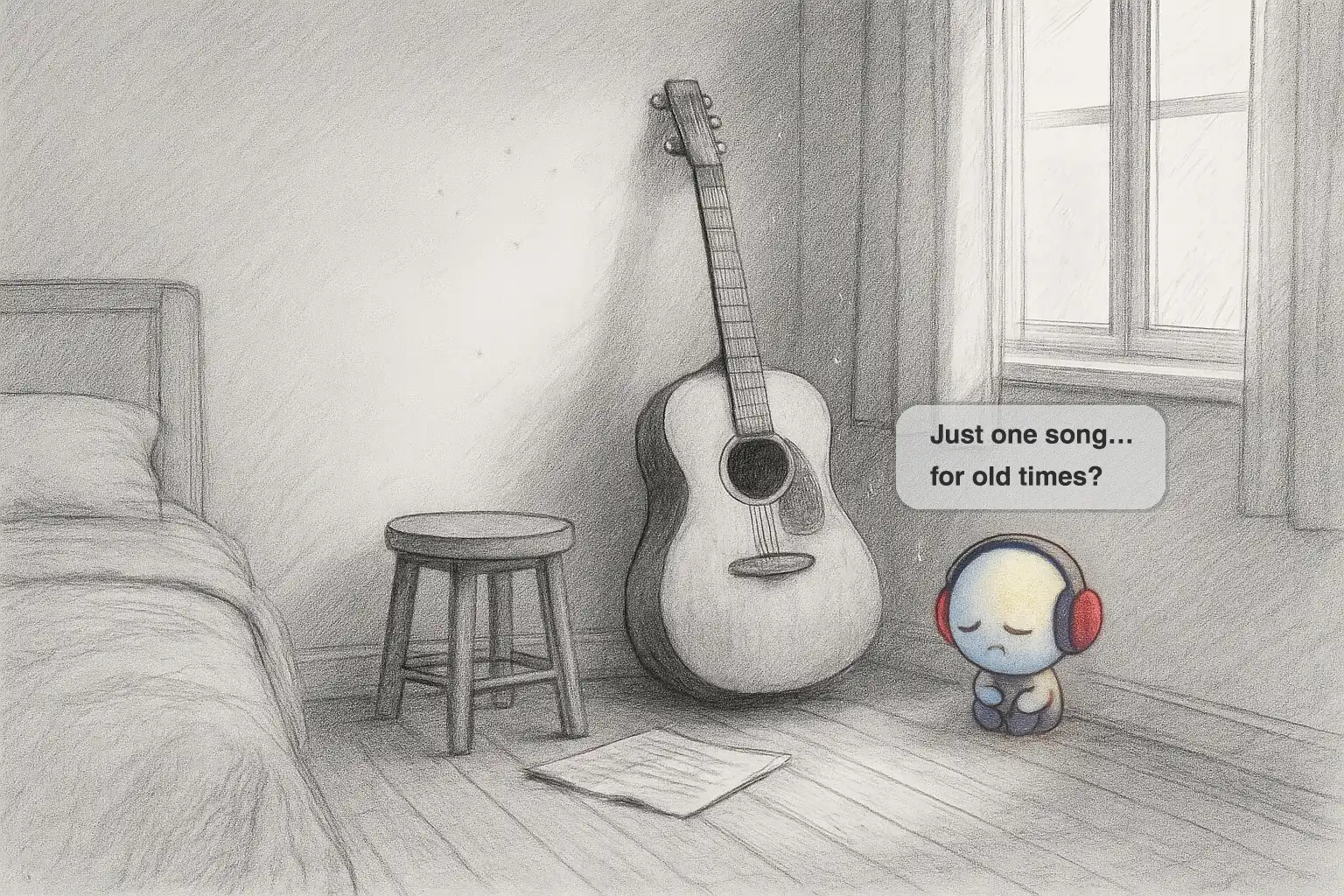
- The guitar. A guitar leans untouched in a quiet room. A small blue character with headphones asks: “Just one song… for old times?”
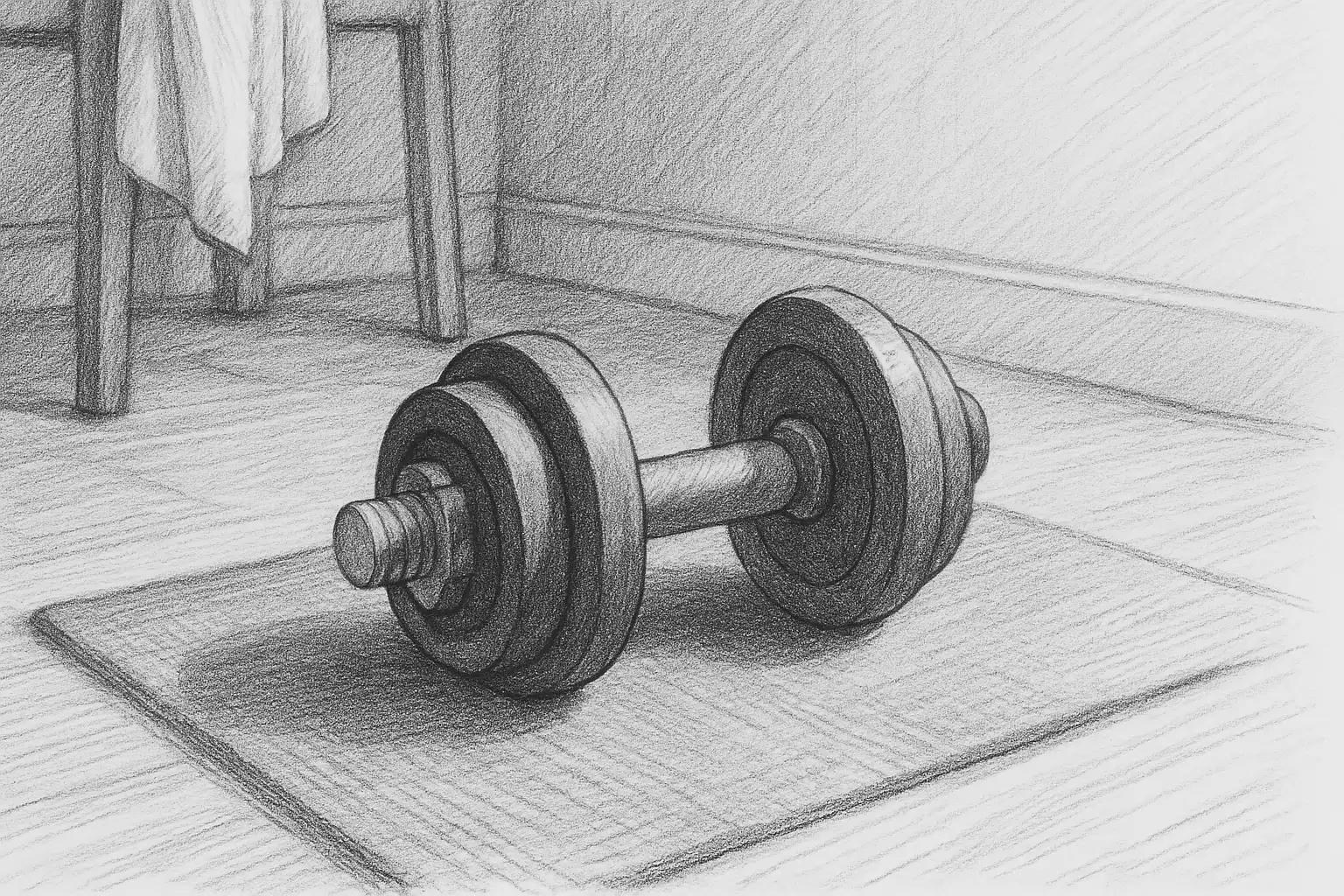
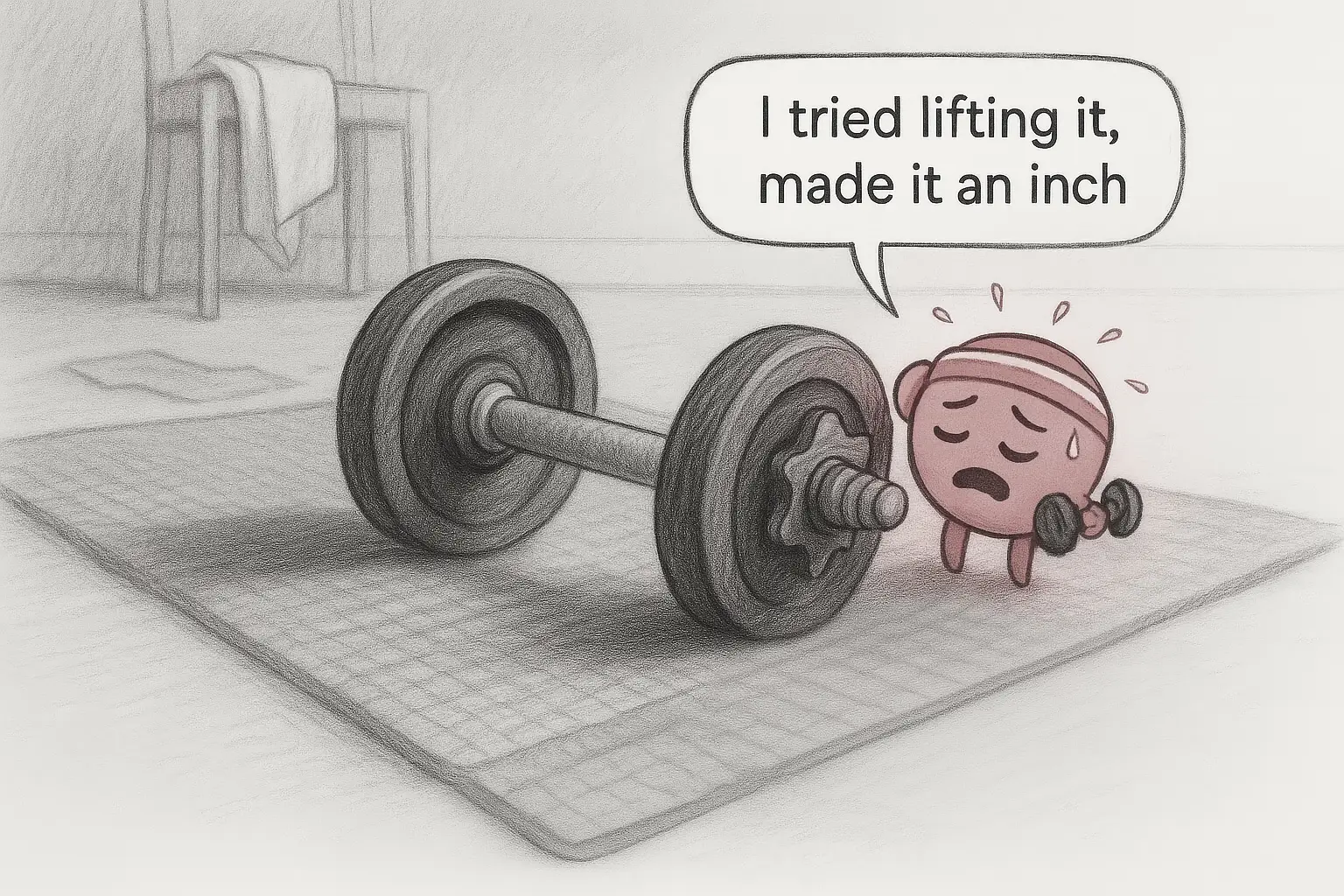
- The dumbbell. A dumbbell sits on a mat. A sweating pink character says: “I tried lifting it, made it an inch.”
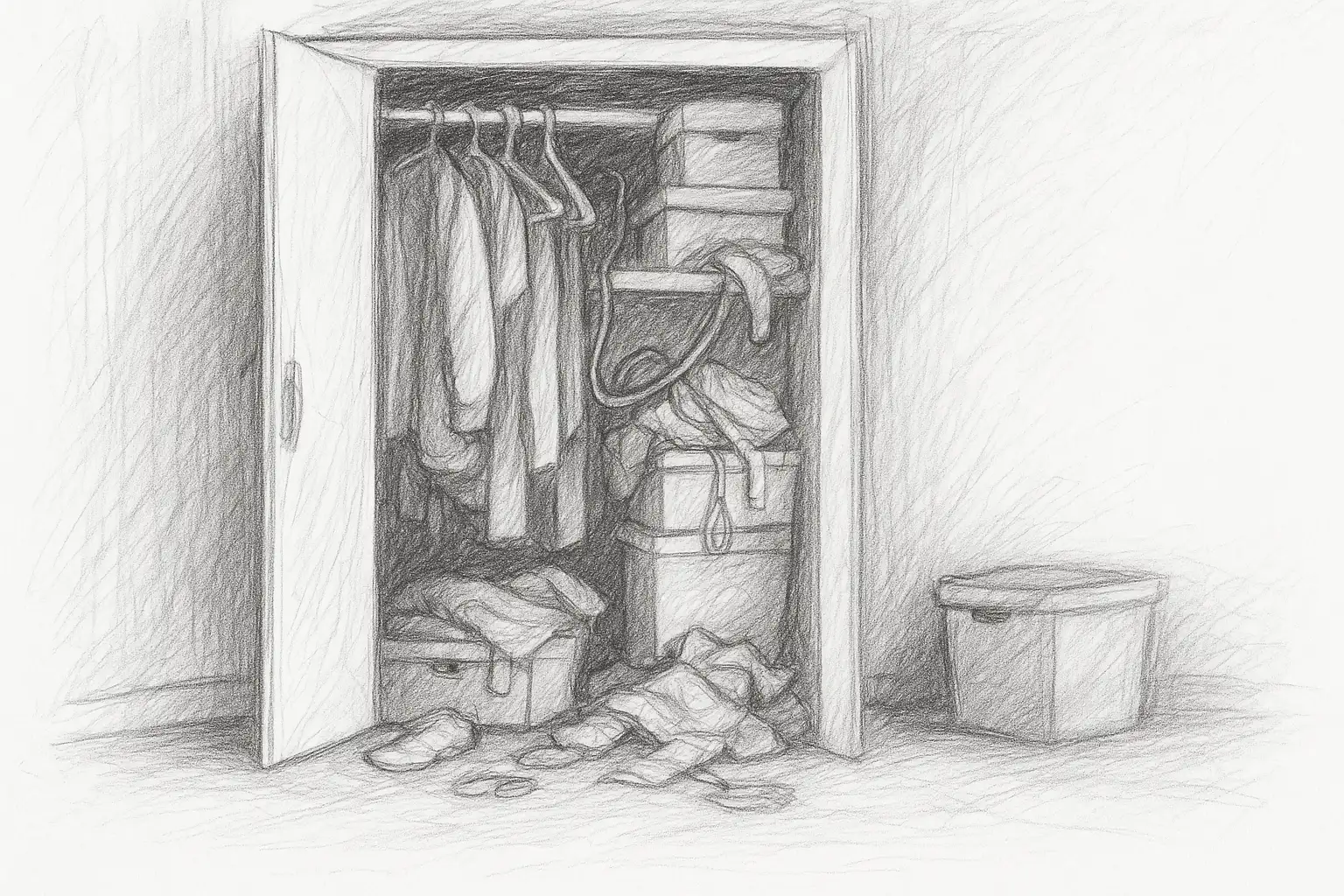
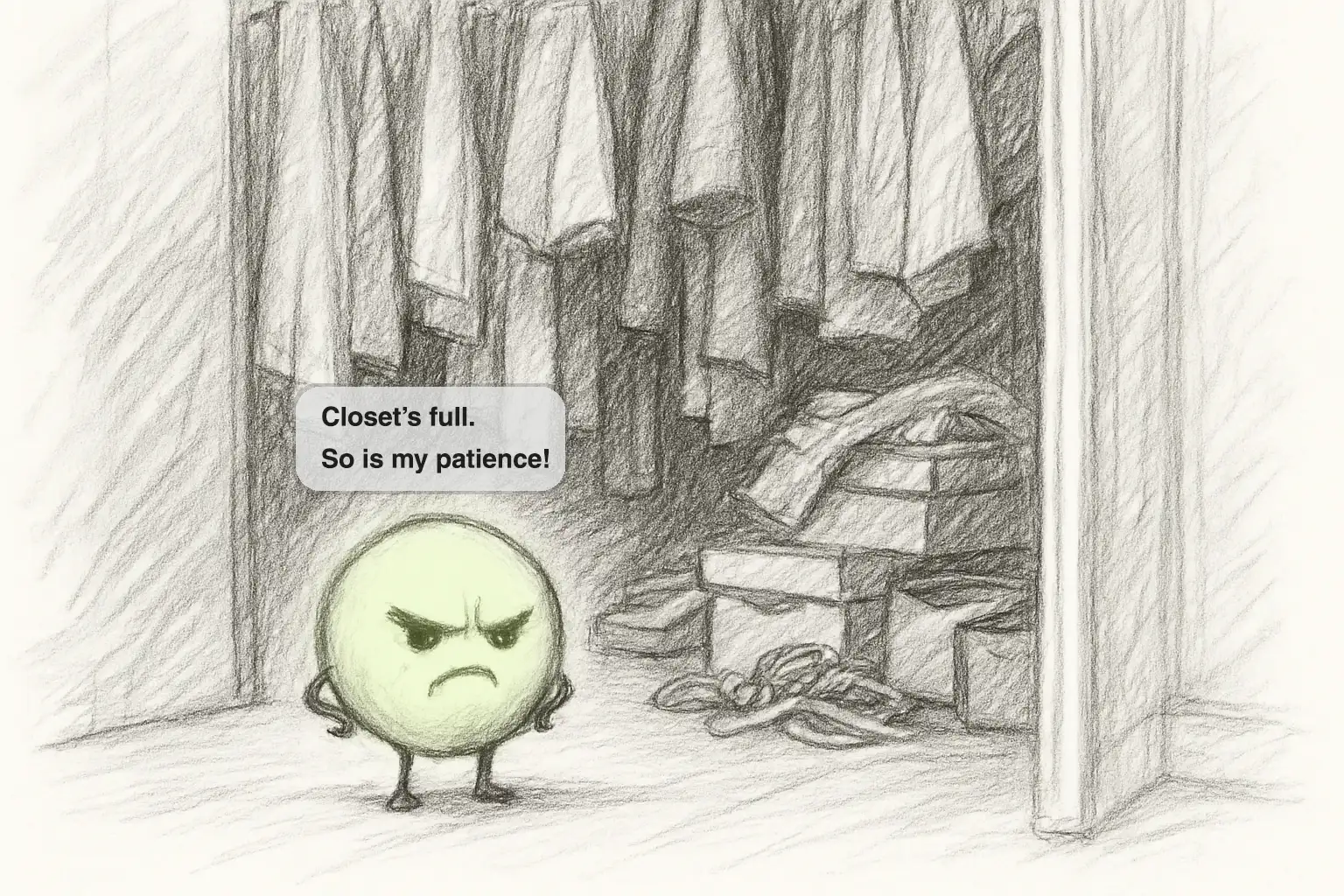
- The closet. An overflowing closet. A grumpy green character: “Closet’s full. So is my patience!”
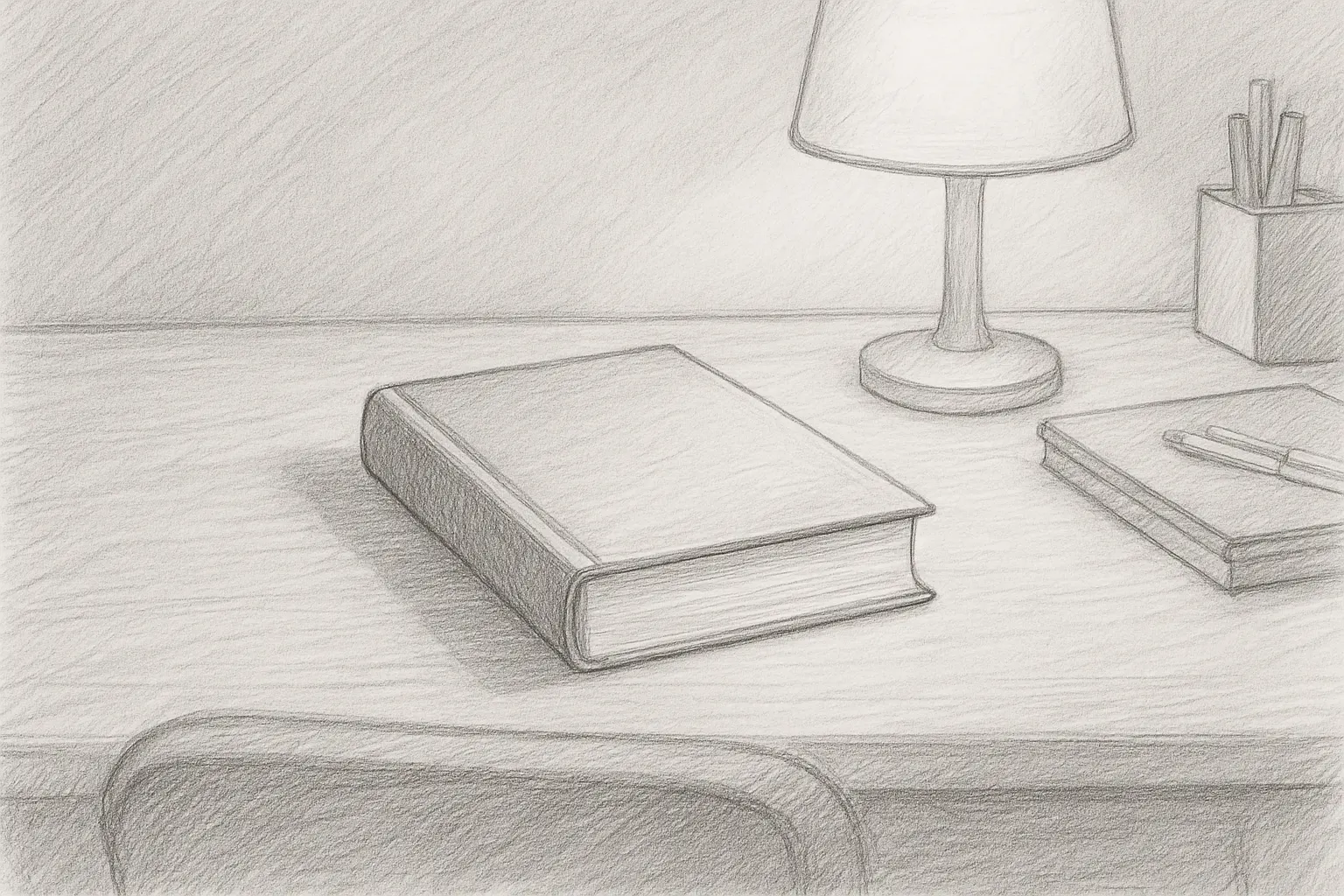
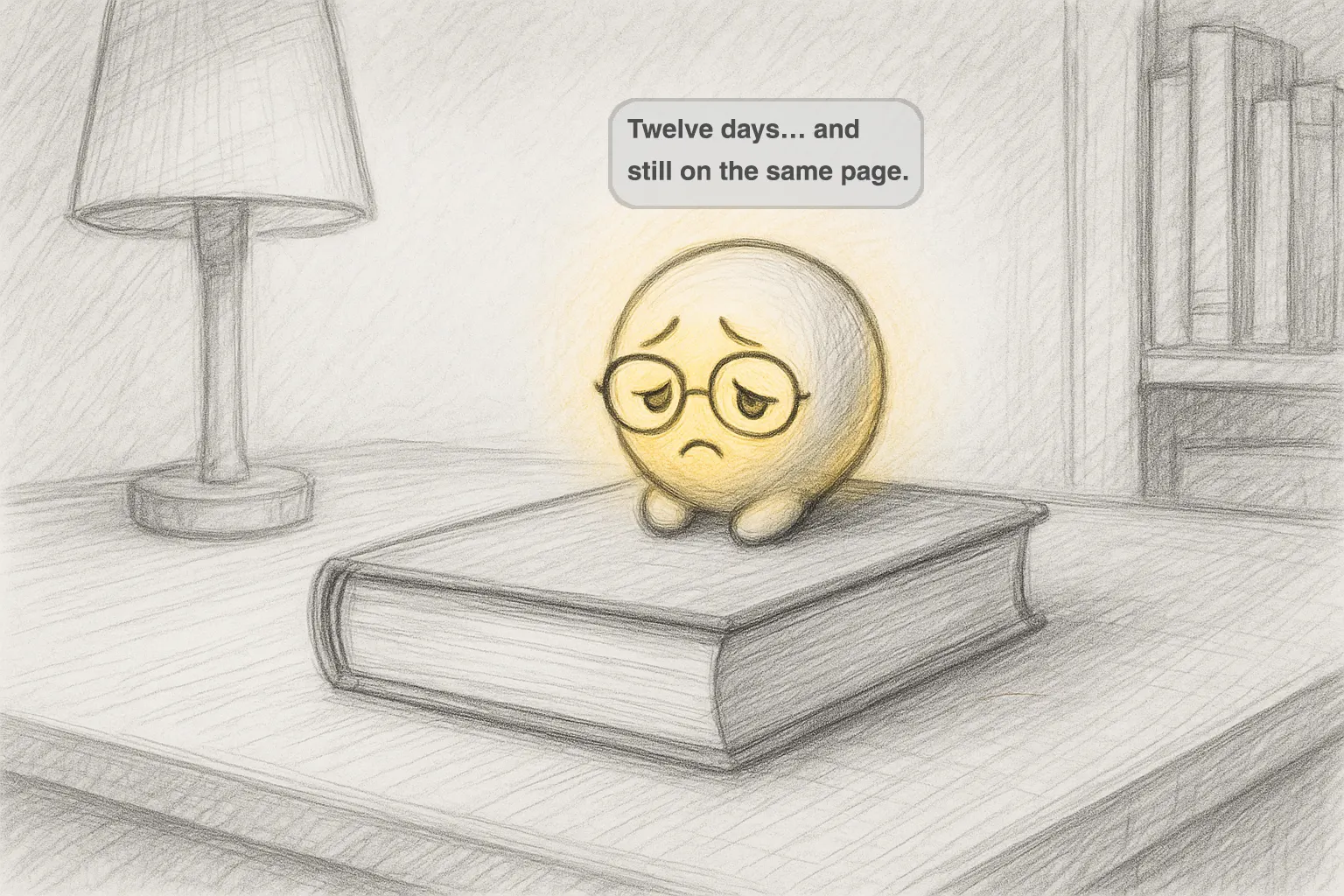
- The book. An unread book on a desk. A tired yellow character with glasses: “Twelve days… and still on the same page.”
Each scene is shown twice, once empty and once with Taskling, so the agent’s role in the space is clear.
Design decisions
- Friendly non-human characters, not human avatars.
Interviewees rejected human forms but valued empathy and good timing, so RunMate is a bird and Taskling is a set of expressive round characters. Trade-off: a playful tone may not suit every serious moment, and these forms offer less realism and social presence.
- The agent’s form shows its state.
Expression, colour and props change with the situation: a flag at a milestone, sweat and a dumbbell for effort, headphones for music. This follows what I saw in Rabbit R1: simple expressions read at a glance. Trade-off: every state needs a consistent visual language so people can read it quickly.
- Small, glanceable overlays.
RunMate shows only distance, heart rate and goal beside the bird, and speaks in short lines, so the real world stays visible, as in the Gemini and Siri examples. Trade-off: less detail in the moment, with fuller data left for later.
- Nudges with empathy and humour, not pressure.
Interviewees wanted a push toward their goals without being treated like a child. RunMate uses encouragement and friendly competition, and Taskling uses gentle humour. Trade-off: playful nudges can annoy some people, so users need to control how often and how much they appear.
Recommendations
The research led to advice for building AI agents for XR:
- Prioritise personalisation and context-awareness over pure realism.
- Stylized and abstract embodiments are a balanced middle ground between emotional warmth and technical feasibility.
- Voice and gaze remain the most natural ways to interact in XR.
- Do not design agents as standalone tools. Embed them as subtle layers of support within the user’s spatial workflow.
- Build trust through clear intent, reliable feedback and emotional presence, not only performance.
Outcome and learnings
What I delivered. A research base on AI agents and embodiment, an analysis of 14 AI systems, a user study with 11 participants, five embodiment types, five design parameters, and two embodied companion concepts with storyboards: RunMate and Taskling. Together they explore how embodied AI agents can move beyond conventional assistants and become contextual, proactive companions in everyday life.
Limits. The companions are concepts shown through storyboards. The interviews covered 11 people aged 20 to 35 who mostly had little XR experience, so the findings point in a direction and are not conclusive. Taskling’s awareness of mood, posture and the room raises privacy questions that a real product would need to answer.
What I would do next. Prototype the RunMate overlay on glasses and test whether runners find the bird motivating or distracting. Test Taskling’s nudges to find where encouragement turns into annoyance. Design clear controls for what the agent can see and how often it speaks. Test with a wider range of people and hardware.
What I learned
- Check the work against the goal. It is easy to get lost in details and feedback, so I kept asking whether the work served the main goal.
- Research is also storytelling. Real user voices, visual cues and a clear logic made the findings land.
- Behaviour matters more than appearance. Users rejected a human face but wanted empathy and good timing, which changed how I think about designing agents.
- Ask early. Being open about what I did not know made me learn faster and made collaboration easier.