 Ankit Gandhi
AR Diwali Greeting
A printed Diwali card that opens a small 3D night scene in your phone’s browser when you point the camera at it.
Made under Augmium, a creative technology studio.
Try it yourself: diwali.augmium.com
Overview
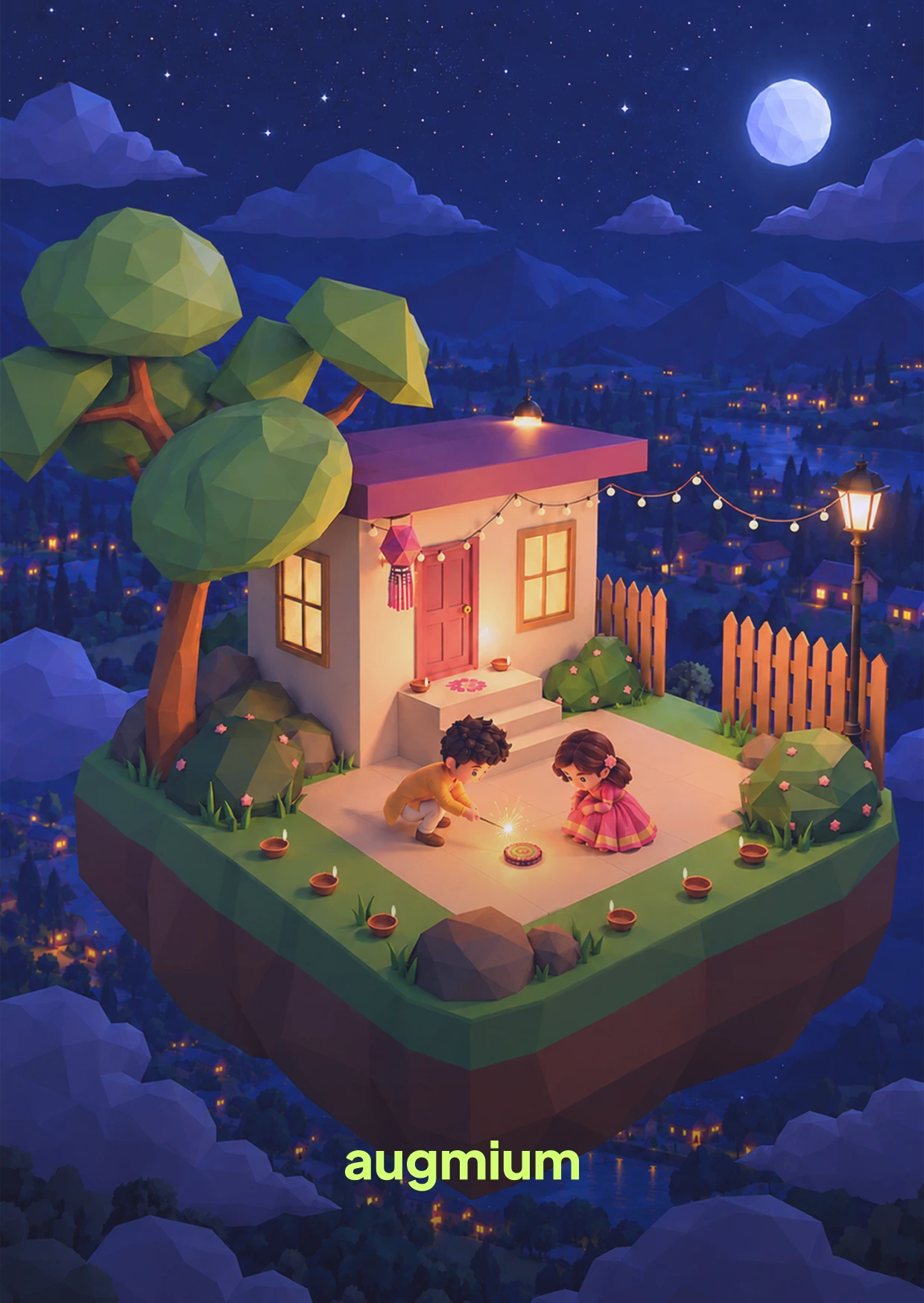
The AR Diwali Card is a printed greeting card with a hidden extra. You point your phone at the front of the card and the browser asks to use your camera. Once it recognises the card, a small night scene appears on top of it: a house, two big trees, string lights, a gate and two children lighting a chakri. There is sound as well, and a “Happy Diwali” wish floats above the scene.
Nothing needs installing. It runs in the browser, so the card works on a friend’s phone the way it works on mine. I made it under Augmium, a creative technology studio, and I sent it to friends.
The brief and the design question
I wanted a paper card that comes alive on a phone, and I wanted it to work for anyone who picked it up, with no app to find first. The people I had in mind were friends, so it had to open quickly and load on an ordinary phone.
The question I worked from was this: how do I make a printed card open a small 3D scene in a browser, on a normal phone, without it feeling slow or heavy?
Design decisions and considerations
These are the choices that shaped the card, with the reasoning and what each one costs.
Design decisions
- Browser AR instead of an app
People should be able to scan the card and see something straight away, so I chose MindAR and A-Frame over a Unity app. Nothing to download means nothing to put people off. Trade-off: a browser has less power than an app, and I had never built web AR before, so I learned it on this project. The camera permission prompt is also one more step.
- The front of the card is the tracked image
The card people hold is the thing the phone recognises. That keeps the idea simple: look at the card, point the phone, watch it change. The back tells people what to do: “Point your phone at the front. No app needed.” Trade-off: the front has to look good on paper and be easy for the camera to recognise.
- A low-poly night scene with a triangle budget
I built the scene in a low-poly style on a floating platform and set a budget of about 20,000 triangles for all of it. A phone has to draw the scene live, so every object had to earn its place. Trade-off: the models are simple and carry less detail than I could have made.
- Prove the chain with a placeholder first
Before making the real scene, I got a prototype working with a placeholder asset. The test setup was the same as the final one, so only the 3D assets needed swapping later. Trade-off: some early work was thrown away, and the card looked like very little for a while.
- Fast characters, then heavy optimisation
I tried two ready-made children from Sketchfab. They weighed 14 MB and 42 MB and their licences were unclear, so I did not use them. I made the two children with ComfyUI’s image-to-3D workflow, which was quick, then optimised them in Blender because the models came out very heavy. Trade-off: the speed at the start cost me time later. The whole scene reached 47 MB before I cut it down, and I lost some detail along the way.
- Diyas that give off light
I wanted the diyas to light the scene while it runs, so I used glTF’s unitless lighting mode and tuned the power of each light by hand. Trade-off: it took manual tuning to look right, and live lights ask more of a phone than baked light does.
- Flat images for the chakri and the wish
I first planned a particle effect and an HTML overlay. I swapped both for finished PNG images placed as flat planes inside the AR scene. The chakri sits near the ground in front of the children and spins continuously. The wish floats above the model. Trade-off: flat images look less physical than real particles, but they are light and they stay in place with the card.
How I built it
I made the scene and the models in Blender, apart from a few background assets from Sketchfab: the tree, the bushes, the fence, the lamp post and the flowers. I used ComfyUI’s image-to-3D workflow to create the two children quickly, then optimised them in Blender and checked the result myself. The experience runs on MindAR and A-Frame and is hosted on GitHub Pages. Everything else was made by me.
Testing, what went wrong and how I fixed it
The first problem was weight. The scene had reached 47 MB, which is far too heavy for a phone. I decimated the models and shrank the textures in Blender until the whole experience came to 8 MB.
I also tested the live scene through a local tunnel before sharing it. That is how I tuned the model’s scale and placement and the diya lights.
Outcome and what I learned
I sent the card to friends. They loved it, and they sent me recordings, images and videos of it running.
- Prove the chain early. A placeholder asset showed the whole route worked before I made the real scene.
- Weight is a design limit. Going from 47 MB to 8 MB decided what could stay in the scene.
- Check licences before building on found assets. Unclear licences kept two ready-made characters out of the card.